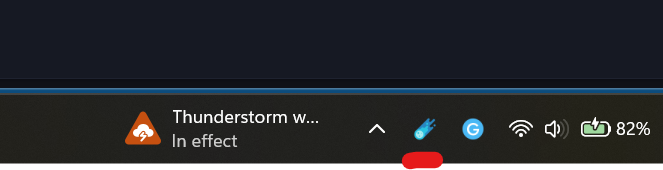
Showing Astral in the System Tray
How to make Astral show up in the W11 System Tray
Astral creates an icon in your System Tray that allows you to show both the main calendar and the mini calendar quickly.
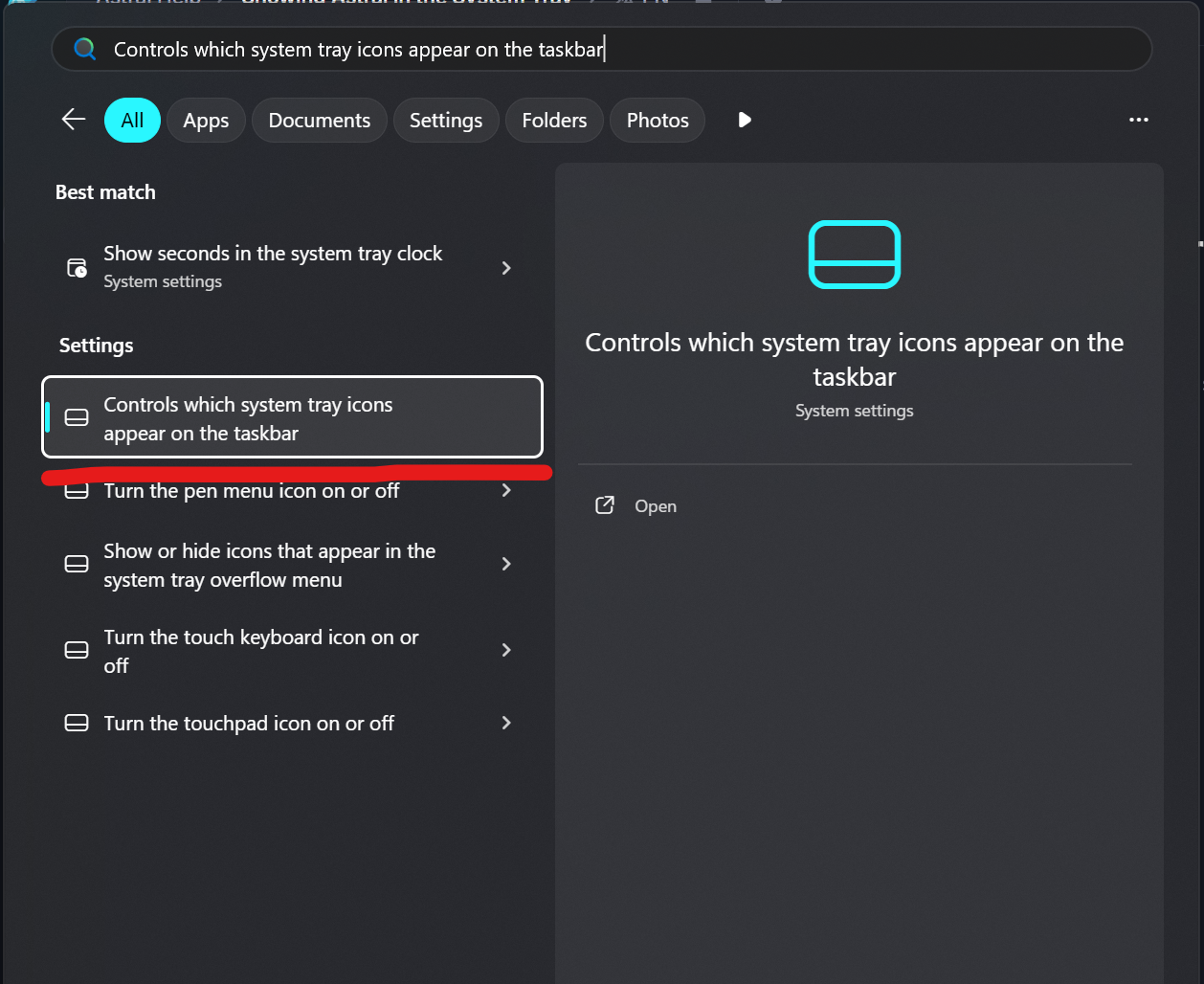
To make sure that you can see Astral, open the start menu and search for “system tray”. Click on this item:
After that, open the “Other system tray” item, and make sure that the Astral toggle is set to on:
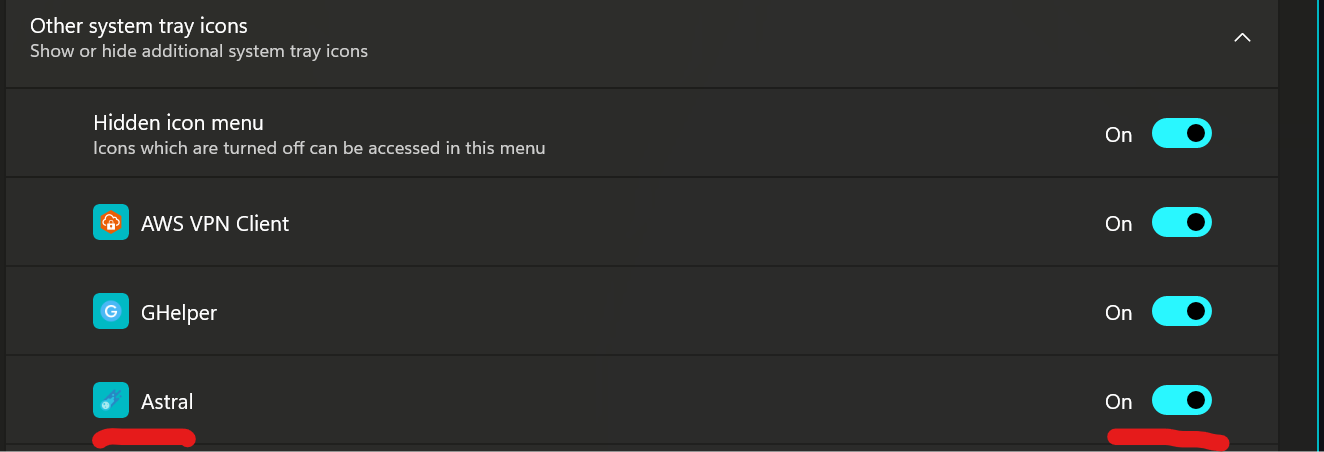
Now Astral will show up in your system tray!